
Upload Android Libraries from Github to S3 using AWS CodePipeline, CodeBuild
Let’s say I am building an android library and want to host it somewhere but not on Maven Central, JCenter etc. So I decided that I will host it on a S3 bucket and somehow automate the process of getting it there, and then pull artifacts from the bucket in other projects.
Requirements
Github , AWS account(free tier would do)
Problem
An app with source code present on Github has two libraries “liba” and “libb”. Lets say we want these two libraries to be pushed to S3 with appropriate dependancies. The dependancy structure looks something like this:
App -> liba -> libb
Solution
Step 1
Open AWS CodePipeline and create a new pipeline.
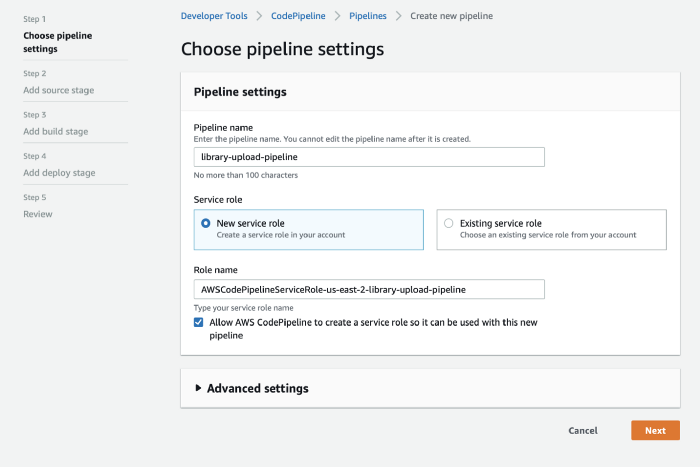
Step 2
Add Github repo and branch as the source of the pipeline. We need webhooks(found in the repo settings) to trigger the pipeline on code commits, tags, releases etc etc (by default it is set to push). Webhooks will get created on the repo automatically by CodePipline.
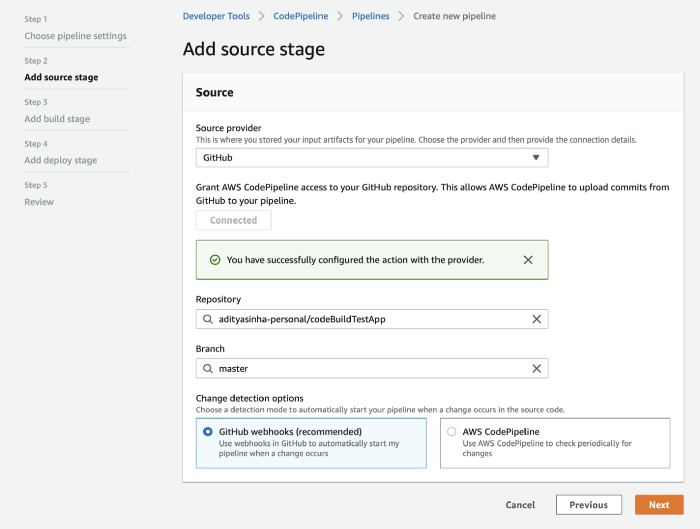
Step 3
Add the Build stage which will be used by CodeBuild. Here we specify a docker container on which the code pulled from github is going to run and create the library artifacts(aar, pom files).
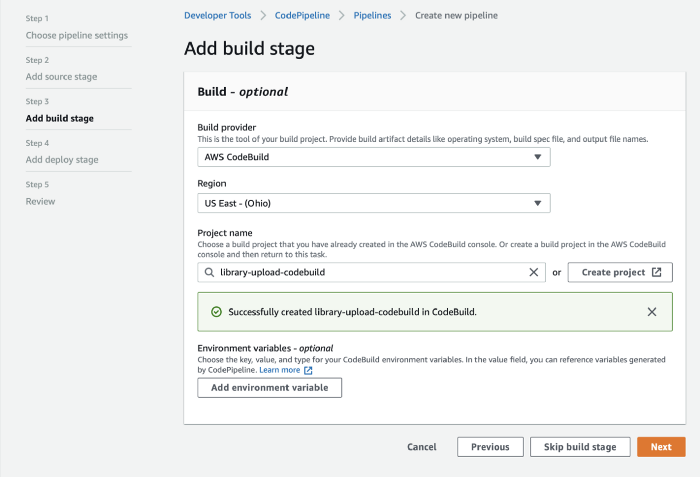
Step 3a
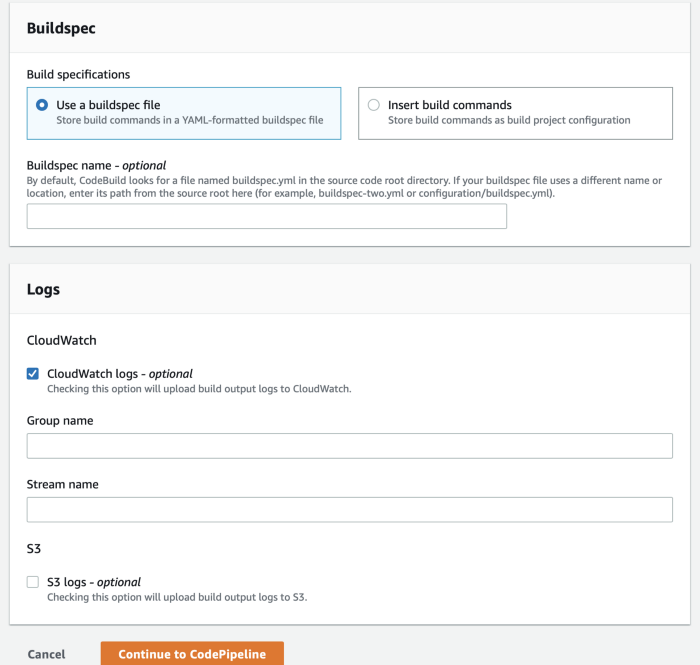
This step is after creating a codebuild project using the “Create project” option shown in the image above. The configuration for the CodeBuild project is below 👇
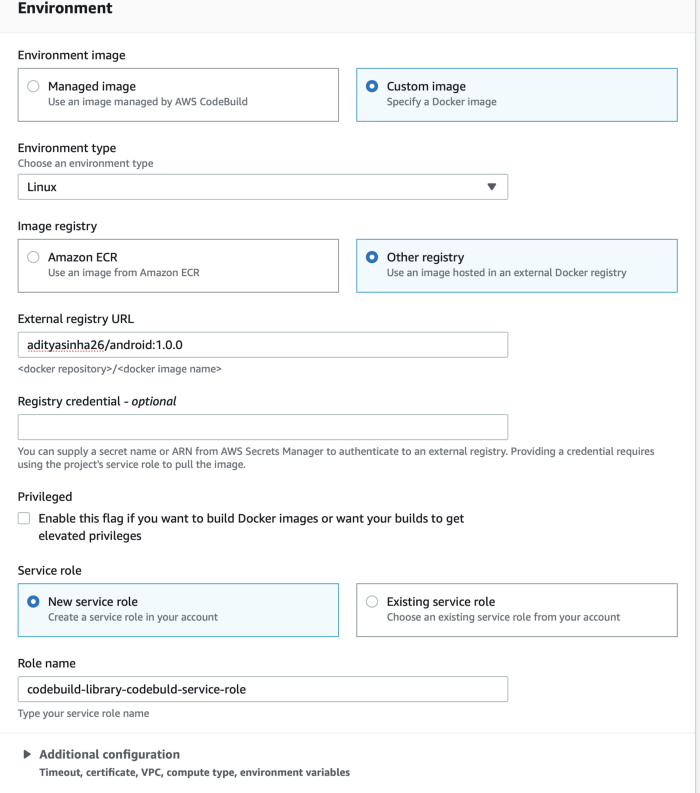
Step 3b
CodeBuild requires a buildspec.yml file which needs to be present for it to figure out which commands should be run on the container and what artifacts have to be uploaded.
Note : Enabling logs would help debug in case some command fails on the build environment.
The buildspec.yml file for this project looks like this 👇
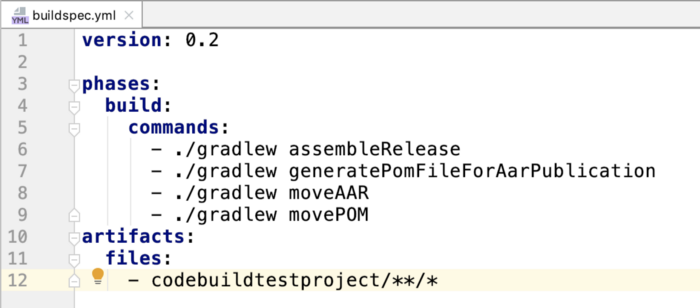
Checkout the source code to see what these gradle tasks do. Gradle requires the files to be in a particular directory structure so that it can be resolved hence the tasks to “moveAAR” and “movePOM”.
Step 4
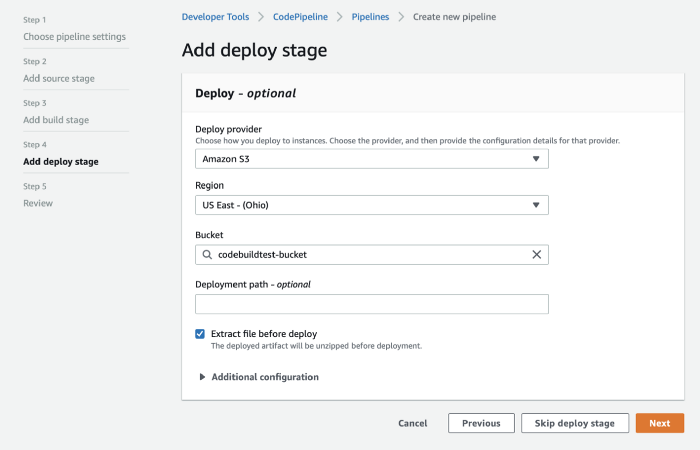
Finally the deploy stage to specify where the created artifacts would live. Make sure the region is same. Otherwise the pipeline would fail.
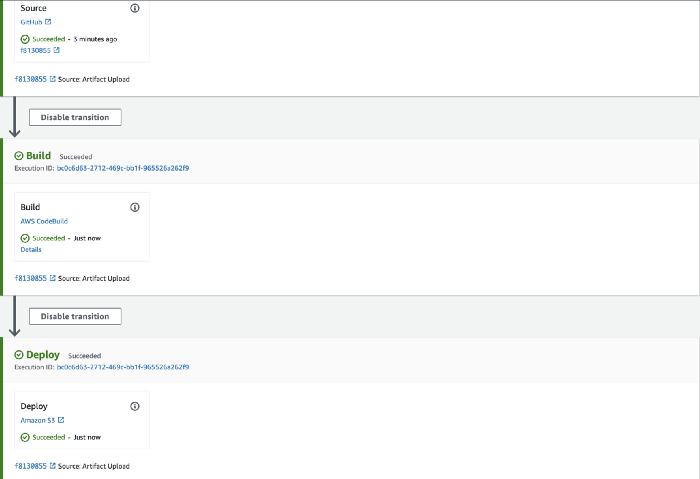
After reviewing the whole pipeline, continuing would trigger the pipeline and upload your artifacts to S3. You need to configure the S3 bucket policy to keep it public/private depending on the use case.
Using the newly published artifacts
Add this to the project level build.gradle —
allprojects {
    repositories {
        google()
        jcenter()
        maven {
            url "https://codebuildtest-bucket.s3.us-east-2.amazonaws.com"
        }
    }
And to the module build.gradle use it like any other dependancy —
implementation 'codebuildtestproject:liba:1.0.0'
Hope this helps.
Thanks 😊